> For the complete documentation index, see [llms.txt](https://docs.odinbot.io/llms.txt). Markdown versions of documentation pages are available by appending `.md` to page URLs; this page is available as [Markdown](https://docs.odinbot.io/odinbot-pro/what-is-odinbot-pro-and-how-to-start-using-it.md).
# What is OdinBot Pro and how to start using it?
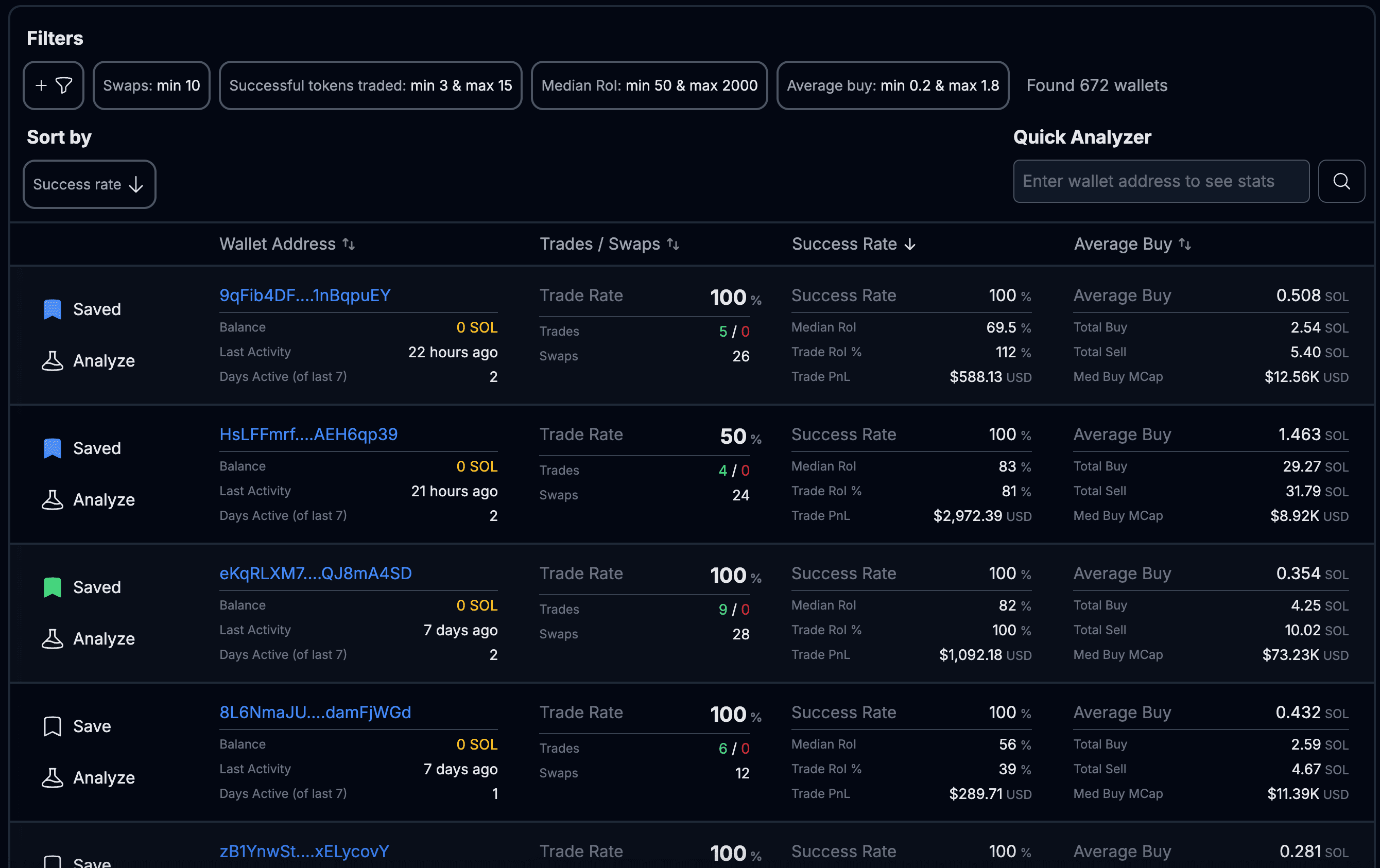
OdinBot Pro is a high-speed wallet screener and analyzer for Solana copy-traders. It filters millions of wallets instantly, runs on live data, and is fully integrated with OdinBot so you can go from discovery to mirroring without leaving the platform.
### Who is it for?
* Experienced copy-traders who want to scale disciplined strategies
* New copy-traders who need a reliable way to find wallets worth mirroring
* Researchers who want token level drilldowns without limits
### Why OdinBot Pro?
* Find top traders before the herd
* Screen millions of wallets in under a second
* Eliminate guesswork with clear, comparable performance metrics
* Go from discovery to mirroring without leaving OdinBot
## How to start using OdinBot Pro?
* Navigate to your OdinBot account
* Hit the "**Wallet Screener**" button
* From the Wallet Screener section hit the "**Buy Pro Now**" button
* Proceed with the checkout
{% hint style="info" %}
We want you to be able to try Odinbot Pro **risk-free**. Receive a **100% refund** for any reason within 72 hours of purchase by creating a ticket in our discord
{% endhint %}
{% content-ref url="/pages/0eP4H2uJShvXBYHtY2He" %}
[Filters](/odinbot-pro/filters.md)
{% endcontent-ref %}
{% content-ref url="/pages/22r3p8L0OIrEAZYzPOaJ" %}
[Wallet Analysis](/odinbot-pro/wallet-analysis.md)
{% endcontent-ref %}