> For the complete documentation index, see [llms.txt](https://docs.odinbot.io/llms.txt). Markdown versions of documentation pages are available by appending `.md` to page URLs; this page is available as [Markdown](https://docs.odinbot.io/setup-and-initialization/4.-odinbots-controls/4.2-perps-controls.md).
# 4.2 Perps Controls
## 1. Position Open/Increase
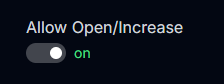
### **Toggle Allow Open/Increase**
* This option lets you control if the bot should copy your mirrors open or increase positions.
### Increase Collateral Amount (SOL)
* This is your constant default amount when increasing on positions.
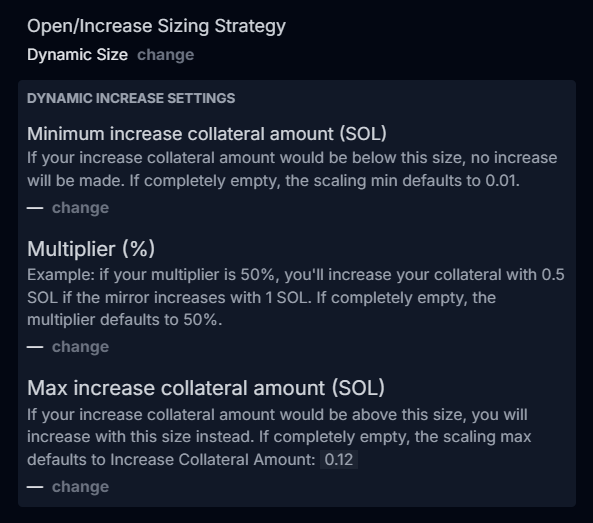
### Open/Increase Sizing Strategy
* **Constant Size** - OdinBot uses your predefined collateral amount for every open or increase action, regardless of the mirrored wallet’s position size.
* **Dynamic Size** - OdinBot adjusts your position size proportionally based on the mirrored wallet’s collateral using your configured scaling settings (minimum size and multiplier).
#### Dynamic Increase Settings:
* **Minimum increase collateral amount (SOL)**\
Defines the smallest collateral amount the bot will use when increasing a position. If the calculated increase falls below this value, no increase will be executed.\
**Default:** 0.01 SOL if left blank.
* **Multiplier (%)**\
Determines the percentage of the mirrored wallet’s increase to copy.\
**Example:** A multiplier of 50% means increasing by 0.5 SOL if the mirror increases by 1 SOL.\
**Default:** 50% if left blank.
* **Max increase collateral amount (SOL)**\
Sets the largest collateral amount the bot will use when increasing a position. If the calculated increase exceeds this value, the bot will use the maximum instead.\
**Default:** Your "Increase Collateral Amount" if left blank.
{% content-ref url="/pages/OKC6JuyodZyPuWDVRQit" %}
[What is Dynamic Size strategy?](/faqs/6.-frequently-asked-questions/what-is-dynamic-size-strategy.md)
{% endcontent-ref %}
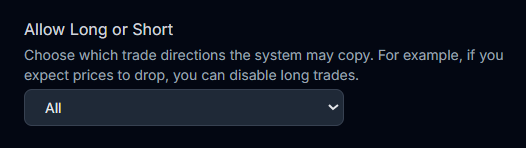
### Allow Long or Short Dropdown
* Controls which trade directions OdinBot is allowed to mirror.\
**Example:** Select Short if you expect prices to drop, blocking any long trades from being copied.
### Max Leverage
* Set a hard cap on your risk. If the wallet you are mirroring opens a position with leverage that is greater than your maximum limit, your trade will automatically use your max leverage instead.
## 2. Position Close/Decrease
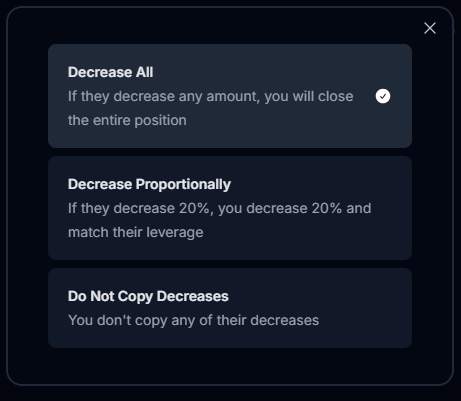
### Decrease Strategy
* **Decrease All** - If the mirrored wallet decreases their position by any amount, OdinBot will close your entire position.
* **Decrease Proportionally** - If the mirrored wallet decreases their position by a percentage (e.g., 20%), OdinBot decreases its position by the exact same percentage and matches their leverage.
* **Do Not Copy Decreases** - OdinBot ignores all position decreases from the mirrored wallet.
**Note:** If you choose not to copy decreases, you are responsible for manually closing positions to avoid liquidations.
## 3. Misc
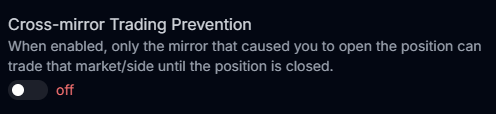
### Toggle Cross-mirror Trading Prevention
* When enabled, only the specific mirror that caused you to open a position is allowed to trade that market and side until the position is closed.
{% content-ref url="/pages/aBX2gVO7Edp5vxhCJJpf" %}
[6. Frequently Asked Questions](/faqs/6.-frequently-asked-questions.md)
{% endcontent-ref %}